

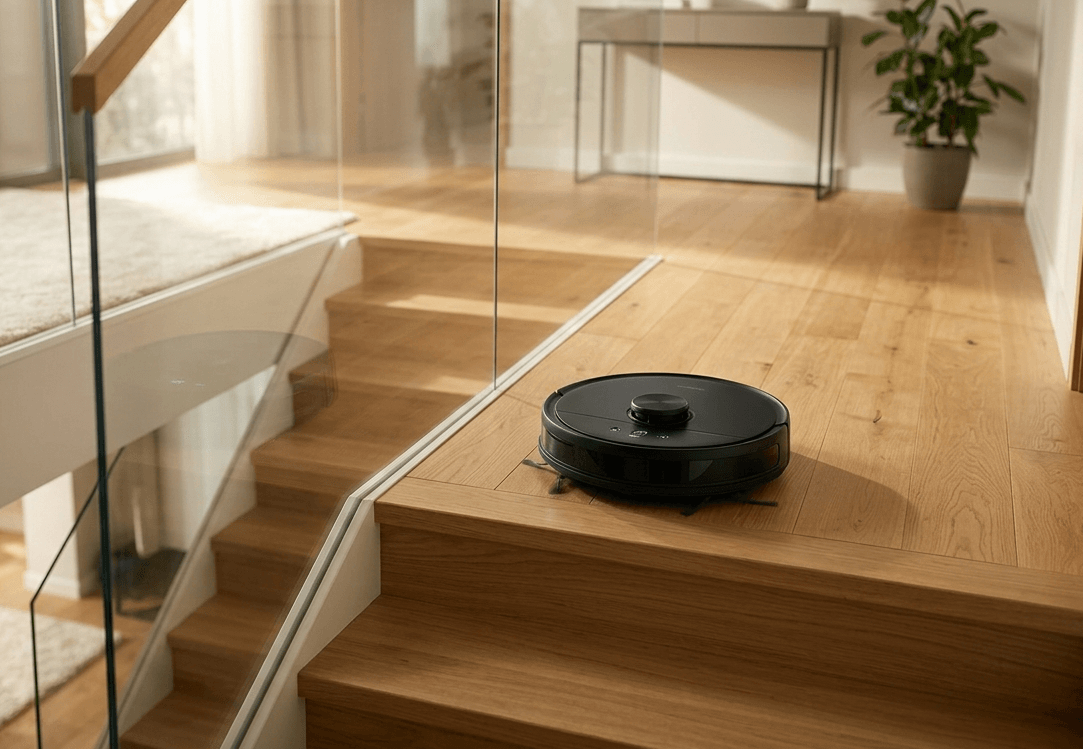
Managing a multi-level home used to mean carrying a heavy upright vacuum up and down stairs. Today, advanced robotics allow for seamless cleaning across different floors, provided you know how to configure the internal logic of your device. Programming a robot vacuum for multi-floor environments requires more than just pressing “start”; it involves sophisticated LDS (Laser Distance Sensor) mapping, SLAM (Simultaneous Localization and Mapping) technology, and strategic placement of charging hubs.
Whether you are dealing with delicate Victorian hardwood on the ground floor or plush carpeting upstairs, mastering the multi-map memory feature is the key to a truly automated home.
Top 5 Recommended Robot Vacuums for Multi-Floor Homes
Before diving into the setup, these are the current industry leaders for multi-map management on Amazon USA:
- Roborock S8 MaxV Ultra: The gold standard for multi-floor precision with 10,000Pa suction and advanced obstacle avoidance.
- iRobot Roomba Combo j9+: Best-in-class software for identifying different floor types and automatically adjusting cleaning intensity.
- Ecovacs DEEBOT X2 Omni: A unique square design that excels in corner cleaning across up to four saved maps.
- Shark Matrix Plus 2-in-1: An excellent mid-range choice that uses Sonic Mopping and reliable grid-mapping for multiple levels.
- Dreame L40 Ultra: Features MopExtend™ technology, making it ideal for homes with complex architectural layouts and hard-to-reach edges.
Step 1: Initial Mapping and Home Calibration
The most critical phase of programming is the “Mapping Run.” Most modern units, like the Roborock S8 MaxV Ultra, allow you to save between 3 and 4 distinct maps.
To start, place your robot on the primary floor (where the dock is located) and allow it to complete a full circuit. Ensure all doors are open and floor-level obstacles are cleared. The robot uses its LiDAR tower to bounce light off walls, creating a 2D or 3D schematic of the floor’s perimeter and permanent furniture.
Step 2: Enabling Multi-Map Memory in the App
By default, many robots are set to “Single Floor” mode to save battery. To program multiple levels:
- Open your vacuum’s dedicated app (i.e., iRobot Home or Roborock).
- Navigate to Map Management or Settings.
- Toggle the “Multi-Map” or “Multi-Level” feature to “On.”
- Carry the robot to the second floor and select “Create New Map.”
Step 3: Managing the Docking Station Dilemma
A common question is whether you need a second dock. While a high-end unit like the Ecovacs DEEBOT X2 Omni can clean without a dock on the second floor, it will simply return to its starting point when finished. For maximum efficiency, purchasing an additional OEM Charging Base for your upstairs landing prevents the battery from dying mid-cycle and allows the robot to “Self-Empty” if the model supports it.
Step 4: Defining No-Go Zones and Virtual Walls
Multi-floor homes often have “danger zones” like steep staircases or floor-to-ceiling windows. High-authority programming involves setting Virtual No-Go Zones within the app.
For example, if you have a high-pile rug on the second floor that shouldn’t be mopped, you can use the Shark Matrix Plus app to draw a digital boundary. This prevents the robot from getting stuck or damaging delicate fibers.
Step 5: Surface-Specific Suction and Moisture Control
Not all floors are created equal. Your ground floor might be durable tile, while your upper floor is sensitive engineered wood.
- For Hard Floors: Use a vacuum with retractable mops like the Dreame L40 Ultra to ensure moisture doesn’t seep into wood joints.
- For Carpets: Program the vacuum to “Carpet Boost” mode, which increases suction power automatically when sensors detect a change in floor density.
Final Expert Verdict
Programming your robot for a multi-floor layout is an investment in technical SEO for your home—optimizing the “crawl budget” of your vacuum to ensure no corner is left uncleaned. By leveraging the multi-map memory of a premium device and correctly calibrating your virtual boundaries, you can achieve a truly hands-off cleaning experience on every level of your property.
Frequently Asked Questions (FAQs)
1. Do I need to buy a separate docking station for every floor?
While not strictly necessary, having a second dock is highly recommended for larger homes. A vacuum like the iRobot Roomba Combo j9+ can clean a second floor without a dock, but it will stop at its starting point once the battery is low. For a truly “set and forget” experience, adding an extra iRobot Clean Base to your upstairs level allows the robot to recharge and resume cleaning automatically.
2. How does the robot vacuum know which floor it is on?
Modern high-end vacuums use LiDAR and SLAM (Simultaneous Localization and Mapping). When you carry a device like the Roborock S8 MaxV Ultra to a different floor and start a cycle, it performs a 360-degree “positioning scan.” By comparing the immediate surroundings (walls, furniture placement) to its saved maps, it automatically recognizes the floor and loads the correct No-Go zones.
3. Will my robot vacuum fall down the stairs?
No. Almost all reputable robot vacuums are equipped with Cliff Sensors. these infrared sensors constantly monitor the distance between the vacuum and the floor. If the sensor detects a sudden drop (like a staircase), the vacuum will immediately stop and reverse. If you have particularly dark or “light-absorbing” carpet at the top of your stairs, ensuring you have a model with advanced sensors like the Ecovacs DEEBOT X2 Omni provides an extra layer of safety.
4. How many different floor maps can one vacuum save?
The industry standard for premium models is currently 3 to 4 unique maps. This is usually enough for a basement, ground floor, and upstairs level. If you have a home with more levels, check the specific app capabilities of the Dreame L40 Ultra, which is known for handling complex architectural layouts with high memory efficiency.
5. Can I use the mopping feature on wood floors upstairs?
Yes, but you must be careful with moisture levels. For upper-level hardwood, it is best to use a vacuum with “mop-lifting” technology or adjustable water flow. The Shark Matrix Plus 2-in-1 allows you to set “Mop-Free Zones” in the app, ensuring that only your tile or laminate areas get wet, while your delicate wood floors stay dry.